Don't Buy the Smart Monitor M7 M70C S32Cm70 Until You Read This Full Analysis
Category: Electronics
Short answer: The Samsung Smart Monitor M7 (M70C) S32Cm70 is a compelling hybrid device that blends a 4K monitor with smart-TV features, but it is not universally the best choice. Buyers should understand its strengths—4K resolution, smart OS, and convenient USB-C charging—and its limitations—limited HDR performance, a single HDMI input, and a 60 Hz refresh rate—before committing. This article examines real-world use cases, performance, connectivity, and who should (and should not) buy it.
Introduction
As the lines between monitors and TVs continue to blur, the Samsung Smart Monitor M7 S32Cm70 positions itself as a do-it-all screen: a 31.5-inch 4K display that promises streaming apps, cloud gaming, remote PC access, and enough connectivity to serve as a laptop dock. That versatility makes it attractive for living rooms, bedrooms, and small home offices. Yet the convenience comes with trade-offs that matter depending on how a purchaser uses their display.
This analysis explains the technical specs and real-world performance, compares the M7 to typical alternatives, and provides a buying guide so readers can decide whether the M7 meets their priorities.
What the M7 Brings to the Table (Key Specs Summary)
- Screen size and resolution: 31.5 inches (marketed as 32") with 3840 × 2160 (4K UHD).
- Panel type: VA (Vertical Alignment) panel with high static contrast (approximately 3000:1).
- Refresh rate and response: 60 Hz, roughly 4 ms response time (spec sheet figures).
- Brightness and HDR: Peak brightness around 300 nits; HDR10 support but limited HDR impact due to modest peak luminance.
- Color: Coverage close to 99% sRGB (suitable for general content and web work; limited for high-end color-critical workflows).
- Speakers: Built-in stereo speakers (2 × 5 W) and Bluetooth audio support.
- Connectivity: USB-C with DisplayPort Alt Mode and up to ~65 W power delivery, one HDMI 2.0 input, two USB-A ports, Wi-Fi 5 (802.11ac), and Bluetooth 5.x.
- Smart features: Tizen-based smart platform with native streaming apps, Samsung TV Plus, cloud gaming options, AirPlay 2 / Miracast, Samsung DeX, Microsoft 365 access, and remote PC connectivity.
- Ergonomics: Height-adjustable stand with tilt and pivot; VESA 100 × 100 mm support for wall or arm mounting.
Design and Build: Practical, Minimal, and TV-Like
The M7 adopts a clean, modern aesthetic with thin bezels and a white or light-colored back shell on many regional variants. The included stand offers useful adjustments for a workspace—height, tilt, and pivot—so it can be oriented vertically for certain productivity tasks. Materials are typical of mid-range monitors: sturdy enough for a desktop but not premium-metal heavy.
For users placing the monitor in a living room, the design reads more like a compact smart TV than a professional monitor. Samsung intentionally positions it to be visible from a couch as well as a desk.
Display Performance: Crisp 4K but Not a High-End HDR Experience
At its core, the M7’s 4K resolution on a 31.5" VA panel gives a crisp, high-density image ideal for productivity—lots of screen real estate for documents and spreadsheets—and comfortable media viewing. The VA panel delivers high static contrast, so movies and darker scenes look punchy, with deep blacks that many IPS monitors can’t match.
However, the monitor’s ~300 nits peak brightness and mid-range local dimming (if any) mean HDR content rarely reaches the dramatic highlights seen on true HDR displays. The panel’s HDR10 compatibility enables HDR decoding and tone mapping, but buyers expecting vivid HDR highlights should temper expectations. For HDR enthusiasts or pros doing HDR mastering, this is not a reference display.
Color coverage is typically around 99% sRGB, making the M7 a solid choice for general photo and video editing, web design, and content consumption. That said, professional colorists and print-focused designers who require wide Adobe RGB or DCI-P3 coverage and factory calibration should look elsewhere.
Smart Features and Software: A True TV-without-a-Tuner Experience
The M7’s biggest differentiator is its smart platform. Running a Tizen-based environment, it provides direct access to streaming services, Samsung TV Plus channels, and cloud gaming hubs without a connected PC or console. For someone who wants a single screen for Zoom calls, document editing, and Netflix, the M7 is compelling.
Useful conveniences include remote PC access and integrated Microsoft 365 apps that allow basic productivity tasks from the monitor itself. Mirroring protocols like AirPlay 2 and Miracast simplify phone or laptop casting. Samsung DeX compatibility makes it easier to use a compatible phone as a desktop replacement on the M7.
That said, the smart OS is not as flexible as a full desktop: app availability and the depth of functionality vary by region and evolve over time. Power users who rely on specialized desktop applications will still need a connected computer.
Find top-rated Electronics products at great prices.
See Deals →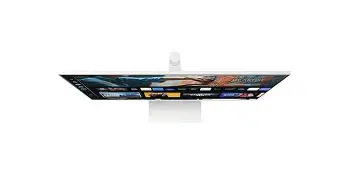
Connectivity and Ports: USB-C Is a Big Plus, But HDMI Is Limited
The M7 includes a modern USB-C port with DisplayPort Alt Mode and around 65 W power delivery—enough to charge many laptops while delivering video. For users who want a single-cable laptop dock experience (display, peripherals, and power), this is a very attractive feature.
Connectivity trade-offs include a single HDMI 2.0 input. For households with multiple HDMI sources—gaming console, cable box, streaming box—this may require an external HDMI switch. The two USB-A ports are handy for wired peripherals, and wireless connectivity (Wi-Fi 5 and Bluetooth) supports streaming and audio accessories.
Audio and Webcam: Good for Casual Use, Not a Replacement for Dedicated Gear
Built-in stereo speakers (2 × 5 W) and Bluetooth audio support are convenient for casual streaming and video calls. They provide better out-of-the-box sound than most thin monitors, but they cannot match a dedicated speaker setup or soundbar in clarity and low-end response. Similarly, webcam support is available via a separate SlimFit webcam accessory (sold separately in many markets); there is not always a factory-integrated camera depending on the region and bundle. For frequent video conferencing, an external webcam and a dedicated microphone or headset will deliver superior results.
Gaming and Motion Performance: Casual-Friendly, Not Competitive-Grade
With a 60 Hz refresh rate and a VA panel response in the mid-millisecond range, the M7 is suitable for casual console gaming and single-player PC games. Its 4K resolution makes titles look detailed, and its contrast enhances darker scenes.
Competitive gamers should be wary: the 60 Hz ceiling, VA pixel response characteristics, and potential for smearing in fast motion make it a poor choice compared to 144 Hz IPS or VA gaming monitors. Likewise, those who prioritize ultra-low input lag for esports should look elsewhere.
Real-World Use Cases: Who Gains the Most from the M7?
- Remote/hybrid workers: Excellent for a compact home office where streaming presentations, working across multiple documents, and switching to entertainment after hours are priorities.
- Students and dorm rooms: Combines screen for classes and entertainment without a separate TV set.
- Laptop-first users: USB-C docking capability simplifies a single-cable desktop setup.
- Living-room media screen (small spaces): Offers smart-TV features with better pixel density than most TVs in the same size class.
- Not ideal for color-critical professional editing, high-refresh competitive gaming, or users needing many HDMI inputs out of the box.
Pros & Cons
Pros
- 4K resolution on a large 31.5" canvas—excellent for productivity and media
- VA panel with high static contrast for deep blacks in movies and videos
- Integrated smart platform (streaming apps, cloud gaming, remote PC access) removes the need for a separate streaming device
- USB-C with DisplayPort Alt Mode and ~65 W power delivery simplifies laptop docking
- Built-in speakers and Bluetooth audio provide usable sound without external devices
- Adjustable stand and VESA compatibility for ergonomic setups
Cons
- Limited HDR impact due to ~300 nits peak brightness—HDR is more marketing than cinematic for this panel
- Only one HDMI input, which can be restrictive for multiple consoles or boxes
- 60 Hz refresh rate and VA response characteristics are not ideal for competitive gaming
- Color gamut and factory calibration are not at professional grade for print or color-critical work
- Smart OS app availability can change by region and may not replace a full PC for advanced tasks
Side-by-Side Comparison
| Feature | Samsung M7 S32Cm70 | Typical 32" 4K Monitor (Non-Smart) | Small Smart TV (32") |
|---|---|---|---|
| Resolution | 3840 × 2160 (4K) | 3840 × 2160 (4K) | 1920 × 1080 or 3840 × 2160 |
| Panel | VA (High contrast) | IPS or VA (varies; IPS common for color) | VA / IPS (TV-grade panels) |
| Refresh Rate | 60 Hz | 60–144+ Hz (gaming models) | 60 Hz (TV) / variable |
| HDR | HDR10 (limited by brightness) | Varies—some support HDR better with higher peak nits | Basic HDR support on many models |
| Smart OS | Yes (Tizen, apps, streaming) | No (requires external device) | Yes (TV smart platform) |
| Speakers | Built-in (2 × 5 W) | Usually none or weak speakers | Integrated TV speakers (often stronger) |
| USB-C with PD | Yes (approx. 65 W) | Occasionally (depends on model) | Rare on TVs |
| Typical Use Case | Productivity + streaming in one device | PC workstation or gaming monitor | Primary TV for small rooms |
Buying Guide: What to Check Before Purchasing
Before choosing the M7, buyers should prioritize questions and checks aligned with their real-world needs:
1. Intended primary use
If the primary need is competitive gaming or professional color work, the M7 is not ideal. For mixed-use—office work by day, streaming by night—the M7 is a strong candidate.
2. HDR expectations
Understand that HDR10 compatibility does not equate to cinematic HDR performance. Look for higher peak brightness (600 nits+) and local dimming if HDR is a priority.
3. Number of HDMI inputs
Confirm how many HDMI devices are required. The monitor has one HDMI 2.0 input; users with multiple consoles/receivers may need an HDMI switch or a secondary display.
4. USB-C power delivery needs
USB-C with ~65 W PD suits many ultrabooks and thin laptops. For larger gaming laptops or MacBook Pros with higher power demands, verify if 65 W is sufficient.
Looking for the best Electronics deals on Amazon?
Shop Amazon →5. Web app availability and region-specific services
Smart platform features—streaming apps, Samsung TV Plus, and cloud gaming availability—vary by region and over time. Confirm that required streaming services and apps are accessible in the buyer’s country.
6. Ergonomics and desk layout
Check VESA compatibility and stand adjustment range. If a monitor arm or particular height is needed, confirm the 100 × 100 VESA mount fits available accessories.
7. Audio and webcam plans
If frequent high-quality video calls are required, budget for an external webcam and microphone. The built-in speakers are convenient but not a substitute for dedicated audio hardware.
8. Warranty and local support
Review warranty terms and regional support policies, especially for electronics purchased online or imported. Samsung’s service coverage and return windows differ by market.
Practical Buying Scenarios
- One-screen student or remote worker: The M7 is an efficient all-in-one solution—no external streaming stick required.
- Laptop-swap commuter: USB-C PD and DisplayPort Alt Mode mean one cable can bring a work laptop into a desktop posture quickly.
- Entertainment-first buyer: If TV viewing from across a room is the priority, a dedicated TV with higher peak brightness and tuned speakers may provide more value.
- Gamer seeking fast refresh: Look for higher refresh-rate monitors (120–240 Hz) with lower input lag instead of the M7.
Conclusion
The Samsung Smart Monitor M7 S32Cm70 is a thoughtfully designed hybrid that will appeal to users who want a single display that functions as both a capable 4K monitor and a smart TV. Its strengths—4K density, VA contrast, built-in streaming and cloud features, and USB-C docking—make it highly convenient for a compact home workspace or a multifunction living space.
However, the M7 also makes compromises. Modest brightness limits HDR impact, a single HDMI input constrains multi-device setups, and the 60 Hz refresh rate makes it a poor fit for competitive gaming. Professional creatives seeking wide color gamuts and hardware calibration will also find it lacking compared to pro-grade monitors.
Ultimately, the decision should come down to the buyer’s use case. For mixed usage—document work, web browsing, video streaming, and casual gaming—the M7 is a strong, versatile option. For specialized needs (pro-level color work, high-refresh gaming, or a multi-HDLMI entertainment hub), prospective buyers should compare alternatives that focus specifically on those priorities.
Potential buyers should weigh the convenience of a smart, single-cable solution against the technical limitations that accompany its hybrid nature. Read product specs carefully, consider how the monitor will be used day-to-day, and check regional smart-app availability before deciding.